
Which is easiest- PC or Amiga?
von EllisD6983 · 19.09.2019 17:33 · 6 Antworten · 23 Aufrufe
|
19.09.2019 17:33
#1
|
|
|---|---|
|
E
EllisD6983
Themenstarter
15 Beiträge
aus dem alten Forum
|
E
EllisD6983 Themenstarter
15 Beiträge
I am on a laptop and downloaded the Amiga version - not by choice just because that was the first one I came upon. I have now discovered I could also download a PC version. So which one is easiest to edit? Bear in mind that I had never even heard of a Hex editor until yesterday and have no idea what it is or how to use it.
Could you please tell me which is easiest to use, which Hex editor is best to use, and point me towards any guides for beginners on what programs I need to download and how to use them please. I want to be able to extend the amount of seasons in career mode and learn how to use the money cheat. Thanks in advance |
|
19.09.2019 17:49
#2
|
|
|---|---|
|
P
Playaveli
9.694 Beiträge
aus dem alten Forum
|
P
Playaveli
9694 Beiträge
PC Version is easier to edit!
|
|
19.09.2019 18:06
#3
|
|
|---|---|
|
E
EllisD6983
Themenstarter
15 Beiträge
aus dem alten Forum
|
E
EllisD6983 Themenstarter
15 Beiträge
Right, thanks mate. I have downloaded that now after first downloading DOSBOX. The screen is really small though, how do I make it fullscreen please? The little square that you normally use is greyed out rather than black, so unclickable. Also, how do I change to joystick/joypad? I can t see the box that you showed me for the Amiga version to change it, and also the enter/return button is not working for me to be able to click on anything on the game, like Options, though the arrow keys are working.
|
|
19.09.2019 20:43
#4
|
|
|---|---|
|
P
Playaveli
9.694 Beiträge
aus dem alten Forum
|
P
Playaveli
9694 Beiträge
http://www.sensiblesoccer.de/forum/index.php?topic=25971.0
Has all info you need on how to setup controller! Fullscreen = Alt+ENTER! |
|
19.09.2019 21:21
#5
|
|
|---|---|
|
E
EllisD6983
Themenstarter
15 Beiträge
aus dem alten Forum
|
E
EllisD6983 Themenstarter
15 Beiträge
Thanks for that. Sorry to be a pain, but I have downloaded it and it s all in Japanese. I don t have a clue how to get the controller to actually work on my laptop. Also, like I said, the arrow keys are working on the menu screen but the enter button isn t, any idea why that is?
|
|
19.09.2019 21:26
#6
|
|
|---|---|
|
P
Playaveli
9.694 Beiträge
aus dem alten Forum
|
P
Playaveli
9694 Beiträge
Non of that is in Japanese!
https://drive.google.com/open?id=0B3pKeg61EmDTU0djMTBLZHpRdGs Donwload that, extract and start game with START GAME.BAT . That s it. Then navigate to SWOS++ menu, CONTROLS, JOYSTICK... and calibrate your USB device. That s it! 🙂 If you play with keyboard then CTRL is your fire button. 1. PLAY OFFLINE [size=14pt]Start game with START GAME.bat 2. USB CONTROLLER? 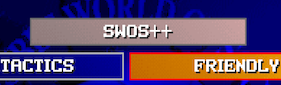  USB Controller problems, in game/on pitch? Try: http://joytokey.net |
|
19.09.2019 21:47
#7
|
|
|---|---|
|
E
EllisD6983
Themenstarter
15 Beiträge
aus dem alten Forum
|
E
EllisD6983 Themenstarter
15 Beiträge
Right cheers, you re a really helpful fella. Done all that. Now just to try to work out how to use a hex editor and edit the game.
|